
The Security Analyst Agent helps security analysts quickly identify, assess, and prioritize risks by performing ready-to-use or custom analyses on security data. The agent provides actionable and prioritized insights, recommendations, and reports to uncover top vulnerabilities and risks. It supports data from Microsoft Defender XDR, Sentinel Log Analytics, or Sentinel Data Lake, and can perform complex analysis tasks such as anomaly detection, clustering, risk scoring, and forecasting without requiring code or queries.
As part of my journey toward building an Agentic SOC, I started exploring how Microsoft Security Copilot agents can be operationalized in real environments. In this post, I walk through how I built and tested the Security AI Analyst Agent in Defender XDR, including compute setup, permissions, and real SOC use cases.
Go to https://securitycopilot.microsoft.com/ in order to create compute capacity
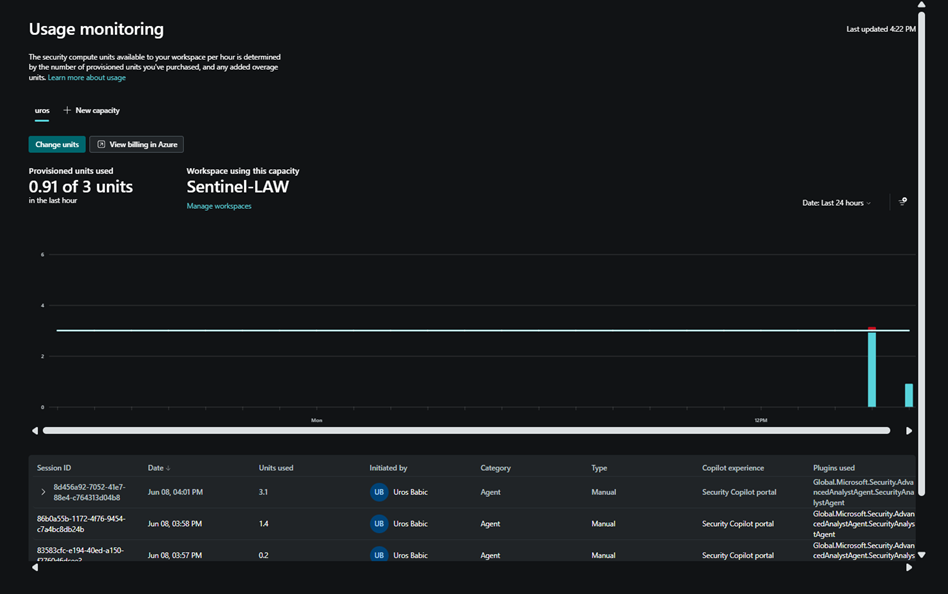
I tested Security Analyst AI Agent alongside Microsoft Security Copilot, utilizing 2-3 SCU.
You need a Microsoft 365 E5/E7 tenant and access to a Security Copilot workspace provisioned with Security Compute Unit (SCU) capacity.
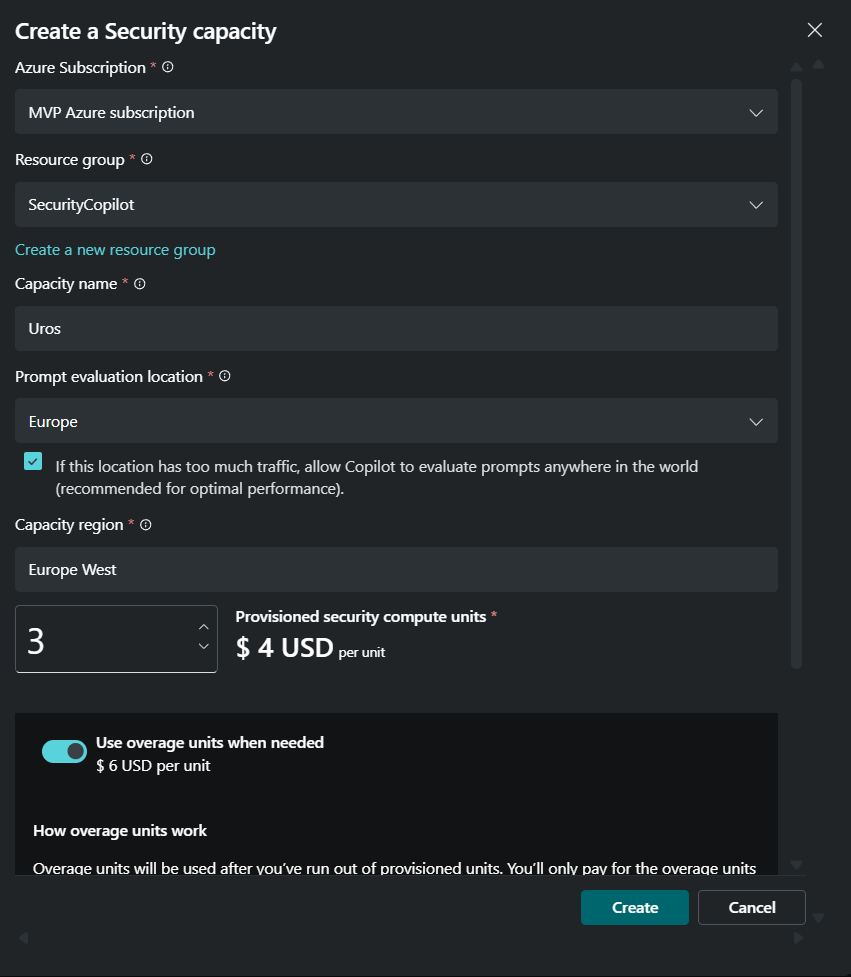
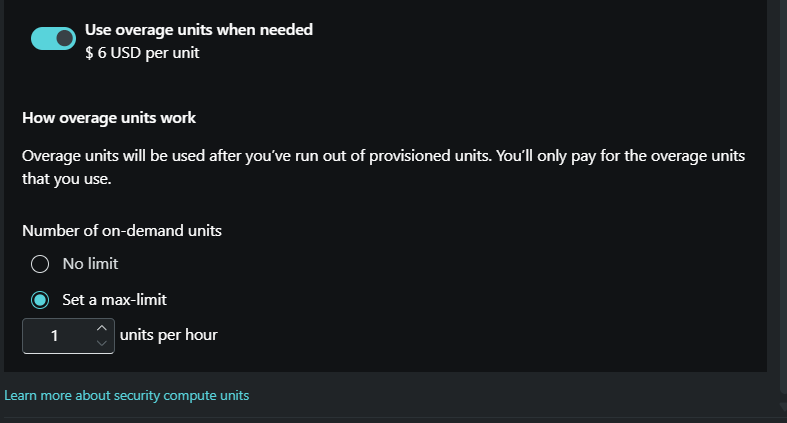
I also set max/limit 1 units per hour
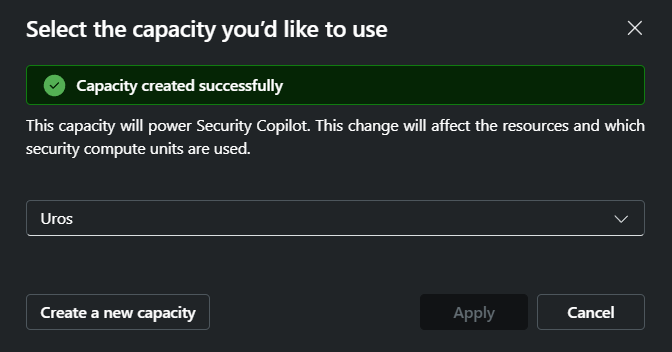
Capacity created successfully
This is usage monitoring in Security Copilot. I am using the 2-3 SCU
Why This Matters
- Reduces dependency on KQL expertise
- Accelerates SOC triage and investigation
- Enables consistent risk prioritization
- Bridges talent gap with AI-assisted analysis
The next steps is to user account you want to use agent visibility with necessary permission
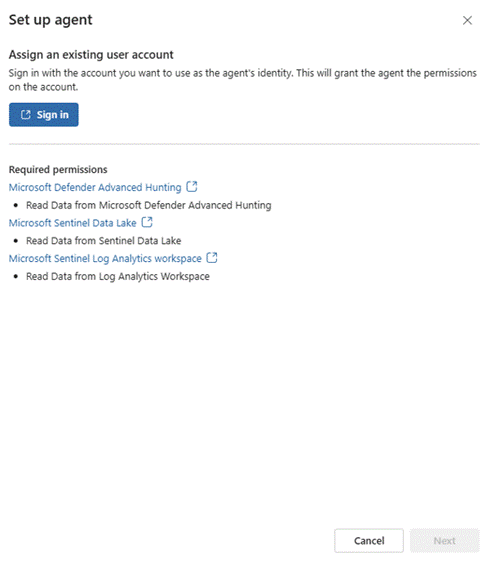
How to setup Security Analyst Agent in Defender XDR Portal:
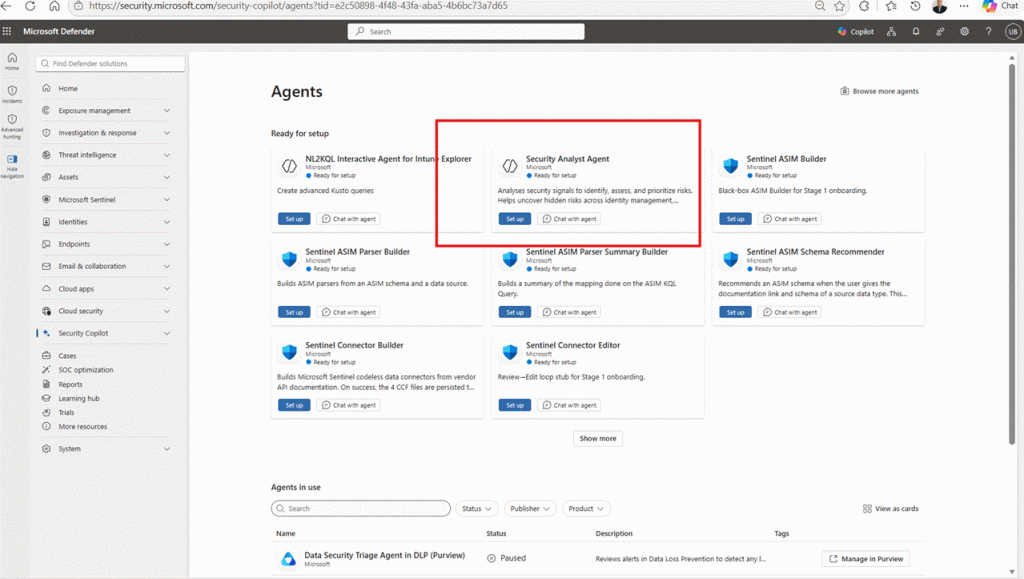
Prerequisites for Security Analyst Agent
Before setup, ensure:
- Defender XDR Unified RBAC – Security Analyst
- Sentinel Data Lake is onboarded
- Sentinel Workspace is connected to Defender XDR
Required roles assigned:
- Global Admin or Security Admin (Entra ID)
- Sentinel Contributor RBAC
Setup Security Analyst Agent and login with my account
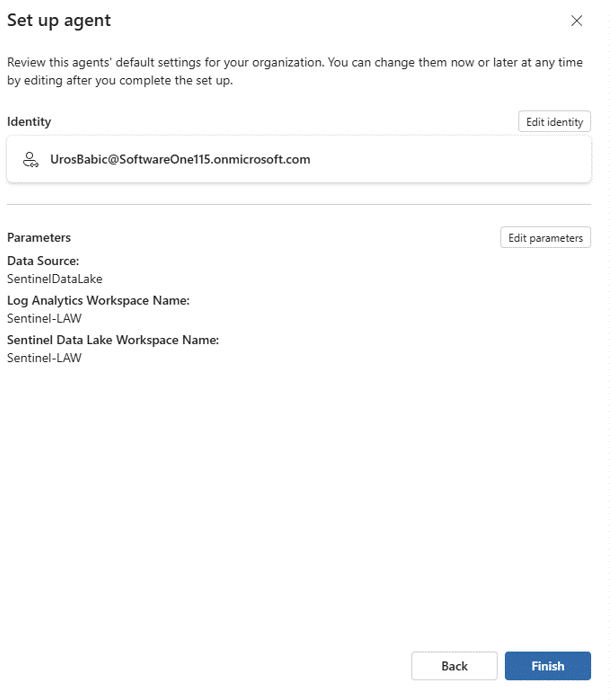
Setup Agent Done
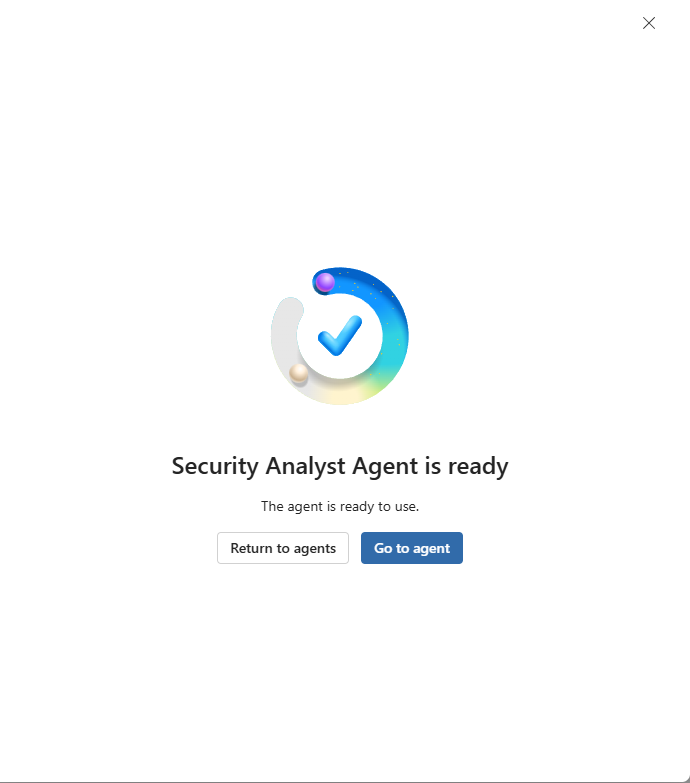
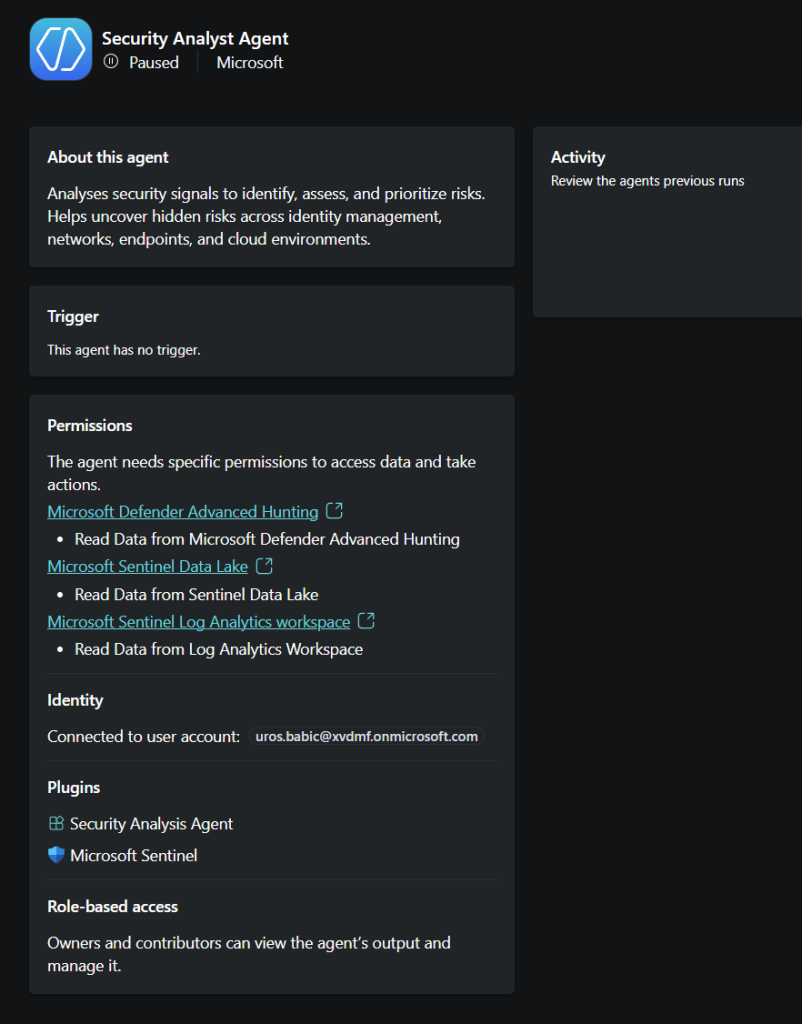
So I am started with trigger Agent and communication in Copilot chat with some useful SOC prompts
- Prompt: Analyze file hashes that are matching known malware from threat intelligence and cross-reference with suspicious network activity. Give me a ranked list of file hashes (top 10) in descending order of potentially compromised file hashes

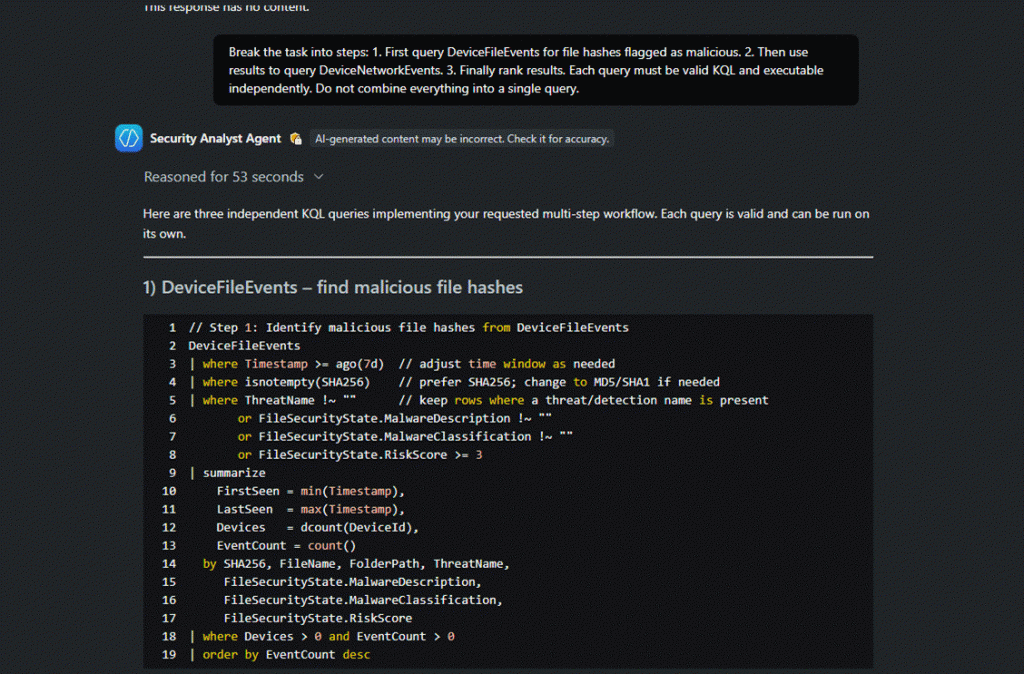
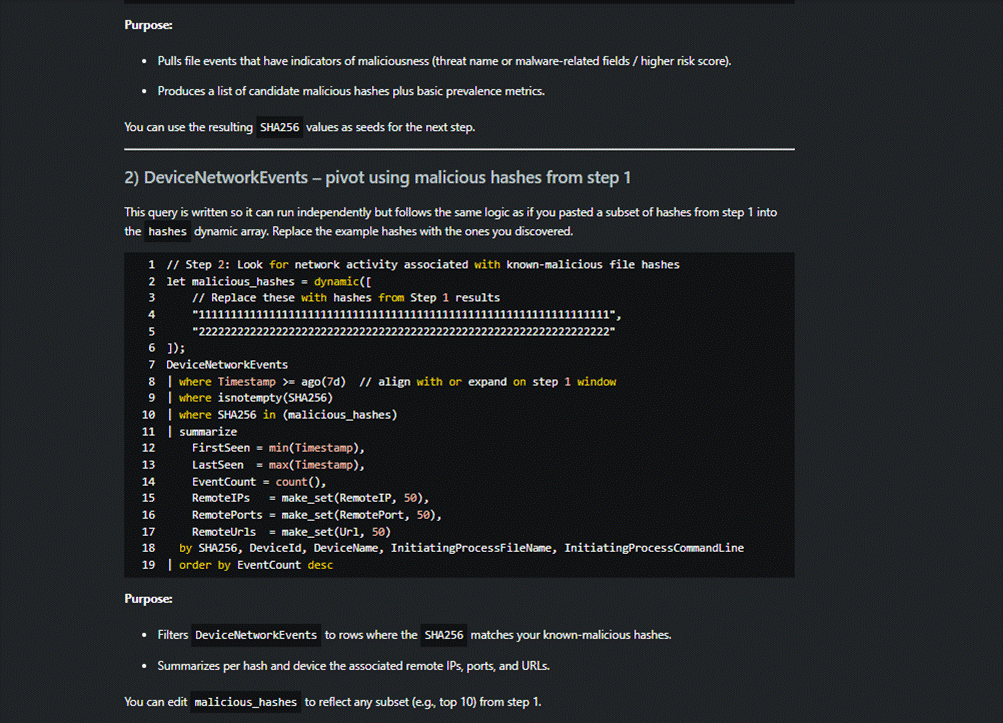
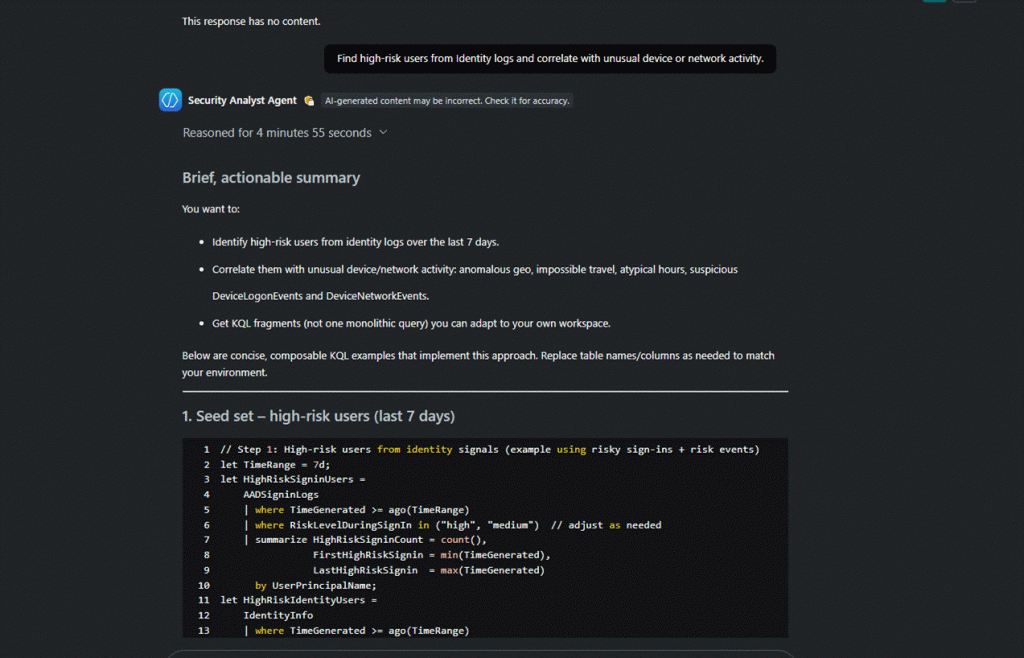
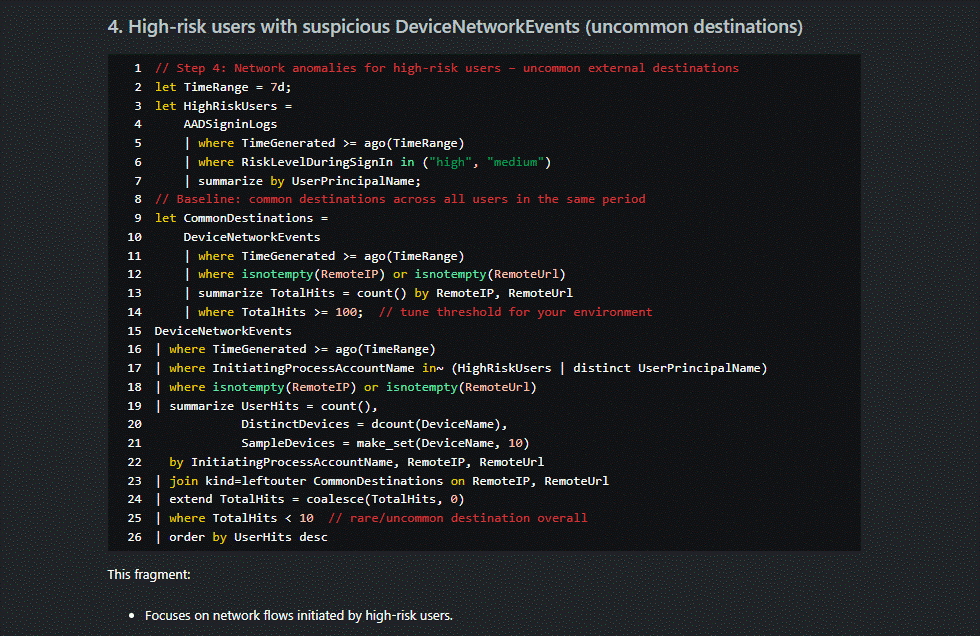
2.prompt: Find high risk users from identity logs and correlate with unusual device or network activity
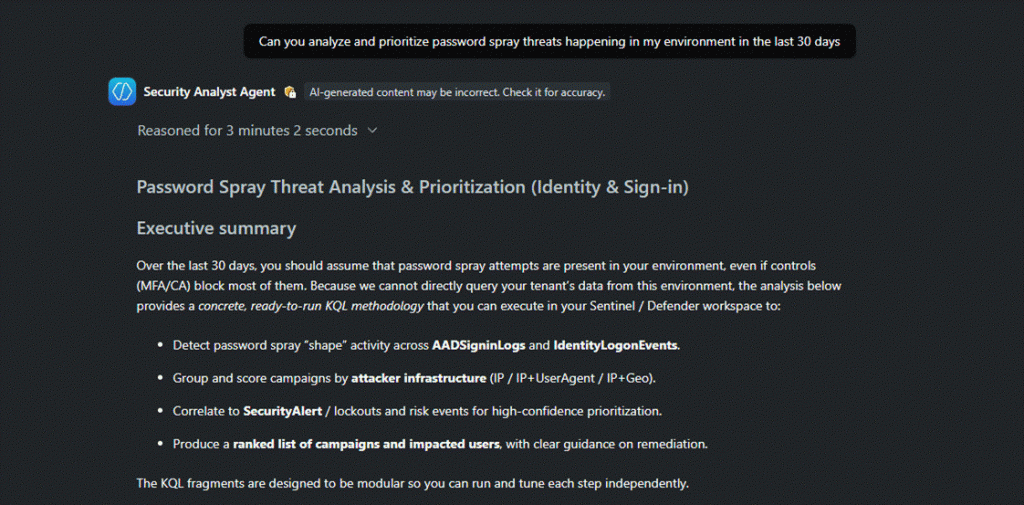
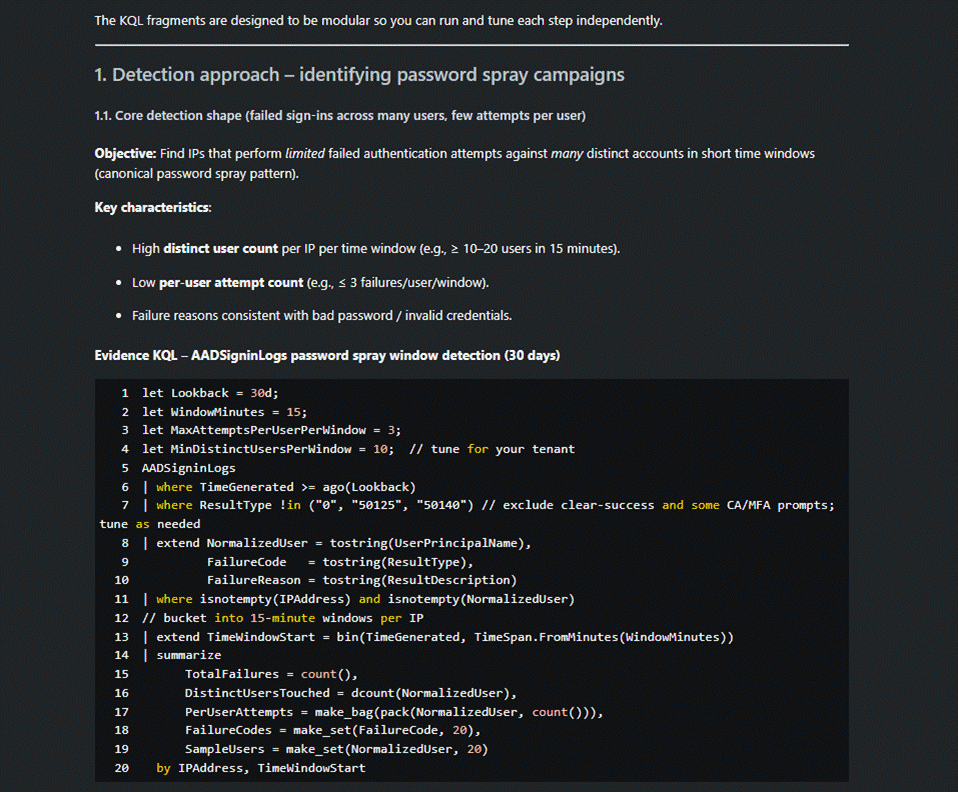
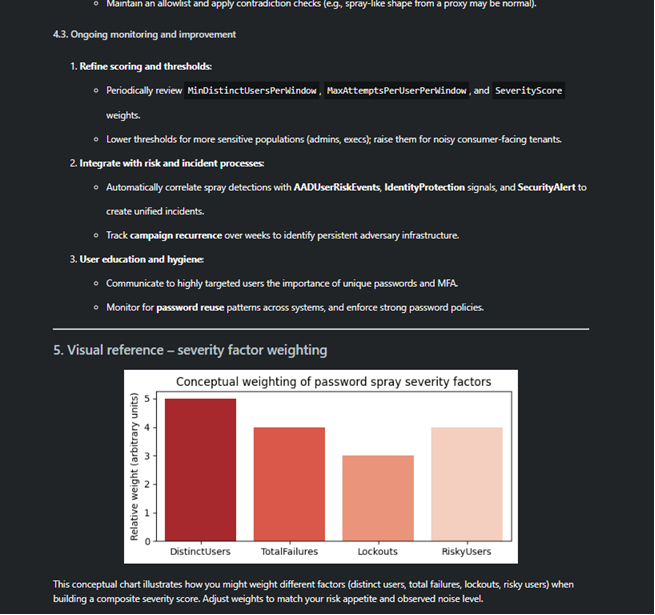
3. prompt: Can you analyze and prioritize password spray threats happening in my environment in the last 30 days
Next steps will focus on extending the agent with correlation scenarios and aligning it with our Agentic SOC use cases.
This setup demonstrates how Security Copilot enables Security Analyst AI Agent with:
- Rapid onboarding of AI-powered security agents
- Controlled consumption via SCU
- Practical, real-world SOC automation
This is not just about running queries with AI. The real value comes when these agents become part of an autonomous, continuously learning SOC — capable of correlating signals, prioritizing risk, and assisting analysts in near real time.
Even with minimal configuration, the Security Analyst Agent delivers meaningful insights and accelerates decision-making across detection, investigation, and response.